
Best Corner Standing Desks
We independently review and test everything we recommend. See how we test. When you click on certain links with our partners, we may earn a commission. Read our disclaimer for details.
A proper corner standing desk is one of those buys that either earns its place in your office for the next decade or quietly frustrates you every day. The frame has to stay rock solid at the joint, the cable run has to cope with twice as many devices, and the geometry has to actually fit the room you have.
In this guide I work through the five corner and L-shaped desks I currently recommend to Australian buyers, what each one does best, and where I’d point you depending on budget, room shape, and the way you set up.
Our Top Corner Standing Desks
Here are the best L-shaped standing desks you can buy in Australia in 2026.
- Desky L-Shape Standing Desk – Best overall corner standing desk
- Elite Office Boost Plus Corner Workstation – Best mid-range corner standing desk
- UpDown Pro Series Electric Corner Desk – Next-best premium l-shaped desk
- MOOV Corner Desk – Best compact L-shape (dual desk with mini return)
- DeskUp L-Shape Standing Desk – Best budget L-shape
L-Shaped Corner Standing Desks Compared
| Desk | Height Range | Load Capacity | Geometry | Desktop Options | Price | Our Rating |
|---|---|---|---|---|---|---|
| Desky L-Shape Standing Desk | 60cm – 125cm | 225kg | Curved OR 90° (two variants) | 10 Melamine finishes, bamboo, softwoods, hardwoods | From $1,399 with $100 off promo (Eco 90°) | 4.9 / 5.0 |
| Elite Office Boost Plus | 62cm – 127cm | 120kg | Curved | Melamine | $1,187 (sale) – $1,399 | 4.6 / 5.0 |
| UpDown Pro L Series | 64cm – 129cm | 150kg | 90° (convertible to linear) | Melamine, bamboo, woods, AU Ash, recycled Messmate | From $1,619 | 4.5 / 5.0 |
| MOOV Corner Desk | 61cm – 125cm | 135kg | Dual desk with mini return (not a true L) | Handcrafted Tasmanian Oak, Blackwood | $2,199 | 4.4 / 5.0 |
| DeskUp L-Shape | 60cm – 125cm | 160kg | 90° (right-hand return only) | Melamine | $949 (sale) – $1,299 | 4.0 / 5.0 |
5 Best Standing Desks For Corner Spaces: 2026 Reviews
1. Desky L-Shape Standing Desk – Best overall corner standing desk
Why We Picked It
The Desky L-Shape range sits at the top of this list for two reasons that no other corner desk in Australia matches at the same time.
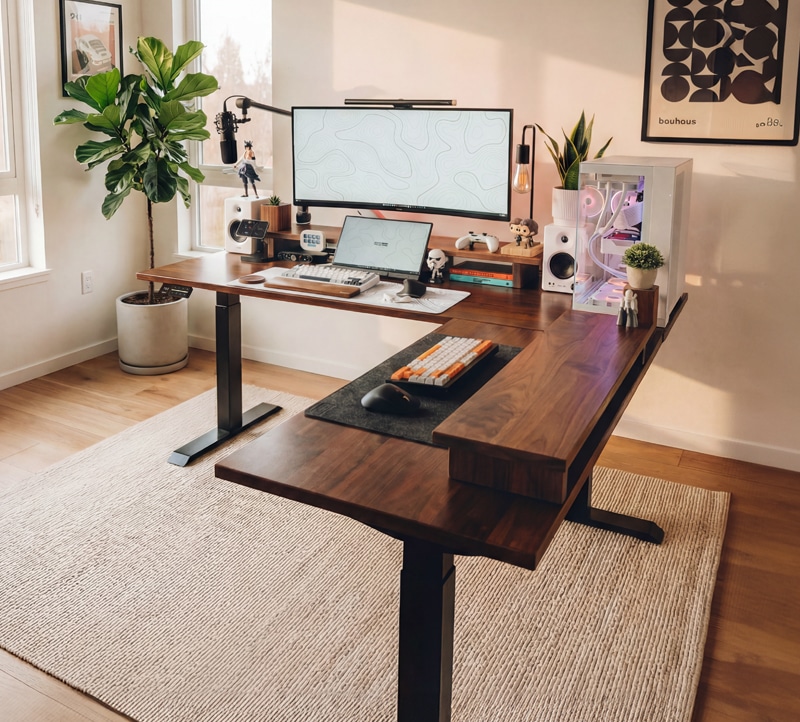
First, the cable management. Desky’s integrated channel runs USB-A and USB-C powerpoints inside the desk channel that moves with it as it raises and lowers, so you can run up to 12 outlets through the desk setup without a single cable dangling.
Second, you actually get a choice of corner geometry. The Eco Corner variant uses a clean 90° join from $1,399 and is the most affordable serious L-shape on the market. Their Curved L-Shape variant uses a curved, rounded corner from $1,549 if you want a softer transition between work zones. Either way you’re getting the same triple-motor frame, 225kg capacity, 60-125cm height range, and the broadest accessory ecosystem in the country.
Desky L-Shape Sit Stand Desk Overview
What I keep coming back to with Desky’s L-Shape lineup is how much it grows with you. Start with the Eco Corner in melamine at $1,399 and the frame is identical to anything else in the family. If you want to step up later, the curved L-Shape Custom Melamine variant adds the rounded corner profile and lifts the finish count to 10 melamine tops (including Curly Birch, Sublime Teak, and Select Beech). Beyond melamine, the wider Desky L-Shape range extends to bamboo, rubberwood, 3 softwoods, 8 hardwoods and 4 hardwood resin tops you simply won’t find from any other AU brand.
The frame itself is the most stable option in the list and why Desky is known for producing the best standing desks in the market. Engineered for the loads people actually put on corner desks, the triple-motor system lifts up to 225kg dynamic, which means dual-PC builds, triple-monitor setups, or a corner that doubles as a workshop bench are all fine. Desky’s third foot is much larger than UpDown’s, which results in greater stability due to the extra surface area bracing the frame.
Lift speed is 40mm per second under whisper-quiet operation, four memory presets are saved on a Bluetooth OLED controller, and Siri voice control is built in if you want to call height changes hands-free. Collision avoidance and sedentary reminders come as standard (an essential feature if you stay active at your standing desk.)
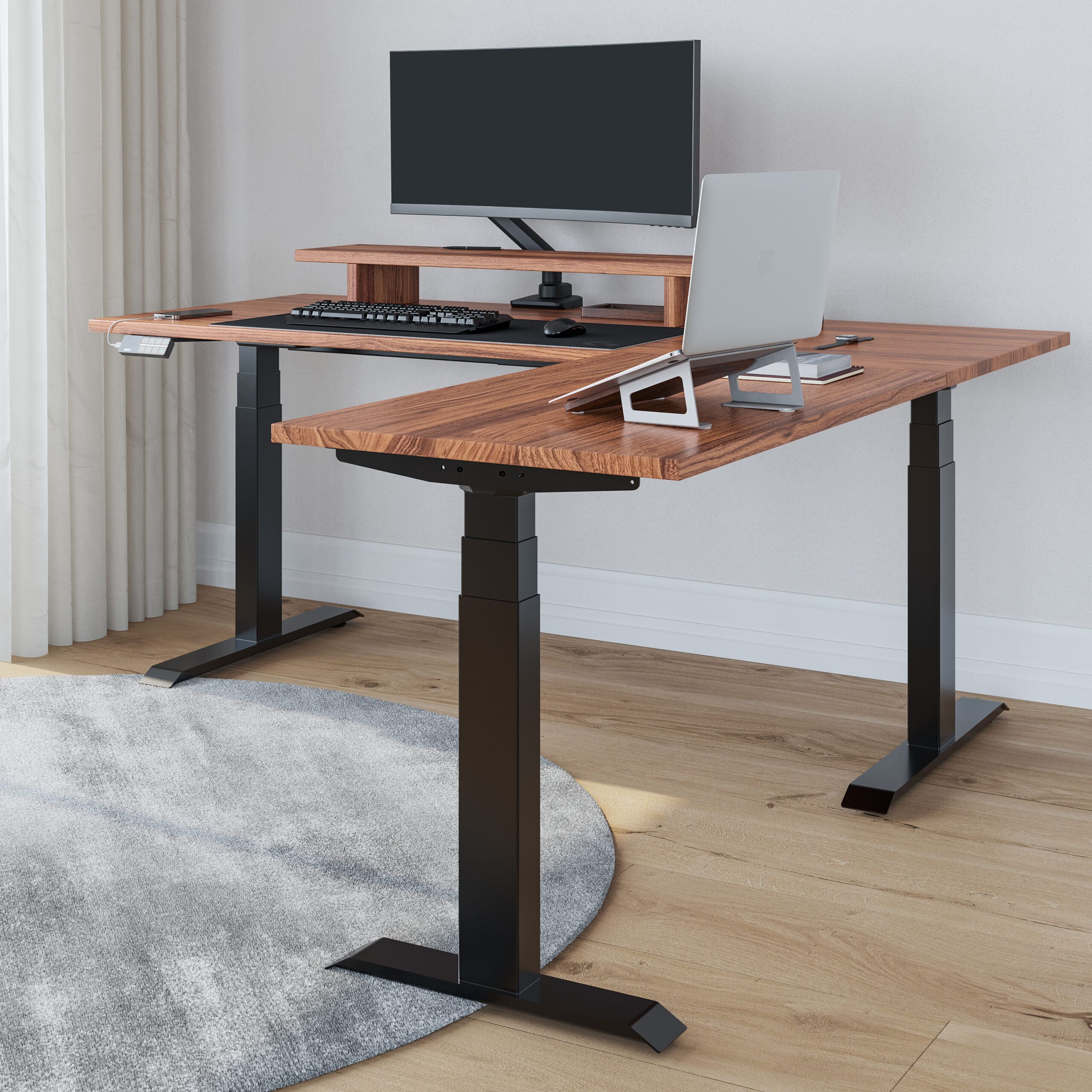
The accessories side is what pushes Desky over the line for me. Cable channels, integrated powerpoints, USB charging grommets, monitor arms and matching monitor stands, matching drawers, wireless chargers, headphone hangers and anti-fatigue mats are all designed to work together as one ecosystem, not bolted on as afterthoughts. UpDown and others sell similar pieces in isolation, but the integrated approach Desky takes is what gives the desk a clean, professional look when you actually live with it day to day.
Desky is also one of the few brands in this list with physical showrooms (Brisbane, Melbourne, and Sydney). I’d encourage anyone spending this kind of money to go and stand at one before buying. Same-day dispatch before 12pm AEST out of Brisbane is also a meaningful detail if you’re in QLD or NSW.
Desky L-Shape Pros
- Two corner geometries to choose from: 90° Eco from $1,399 or curved L-Shape from $1,549 (get your discount code by joining their mailing list)
- Industry-leading integrated cable management with up to 12 powerpoints
- 225kg triple-motor frame handles heavy dual-PC and triple-monitor builds
- 60cm minimum height suits the widest range of users (including shorter users that don’t fit on UpDown)
- Wide finish range (16 melamine options across the two corner variants, plus 20 more woods in the wider lineup)
- Showrooms in Brisbane, Melbourne, and Sydney
- Same-day dispatch from Brisbane before 12pm AEST
- Strongest accessory ecosystem in Australia
Desky L-Shape Cons
- Eco Corner only available in 1500×1550mm or 1800×1750mm sizes (no smaller option)
- Curved variant adds $150 over the Eco for the rounded corner profile
- Two-person assembly due to the desktop weight
Desky L-Shape Key Specifications
- Desktop: 16 melamine finishes across Eco and curved variants, plus bamboo, rubberwood, softwood, hardwood and resin in the wider range
- Height Range: 60cm – 125cm
- Load Capacity: 225kg (triple motor)
- Sizes: 1500×750×1550×500mm or 1800×750×1750×600mm
- Memory Presets: 4
- Lift Speed: 40mm per second
- Controller: Bluetooth OLED with Siri voice control
- Price: From $1,399 (Eco 90°) or from $1,549 (curved L-Shape)
- Warranty: 10 years frame and electronics, 5 years desktop
2. Boost Plus Corner Adjustable Workstation – Best mid-range corner standing desk
Why We Picked It
The Boost Plus Corner Workstation from Elite Office Furniture is the mid-range pick I find myself recommending most often. It’s currently on sale at $1,187 (down from $1,399), which is a meaningful saving against the premium end of the corner-desk market without giving up the things that actually matter. You get a curved L-shape desktop, desk grommets included as standard, a height range that opens up to more users than UpDown does (62cm minimum versus 64cm), anti-collision and anti-tilt safety, and a 10-year warranty.
Boost Plus L-Shaped Workstation Overview
Elite Office Furniture is a long-standing Australian commercial furniture supplier, and the Boost Plus is the corner variant of their commercial-grade height-adjustable range. The desk meets Australian Standards for height range, which is a quietly important detail for anyone buying through a business or claiming the purchase against ergonomic compliance.
The Desk is actually from Rapidline, so you can find it available across a number of office furniture suppliers across the country. Perfect if you want to see it in person first.
The dual-motor frame lifts up to 120kg at 38mm per second, which is on the lower side for this list but more than enough for a typical multi-monitor home office or a clean dual-screen professional setup. You get three programmable height presets and an LED digital controller. Three sizes are available: 1500×1500mm, 1500×1800mm, or 1800×1800mm. The desktop comes in Natural Oak with a black frame as the headline configuration, and the surface itself is 750mm deep with a scalloped cable access cutout on the back edge.
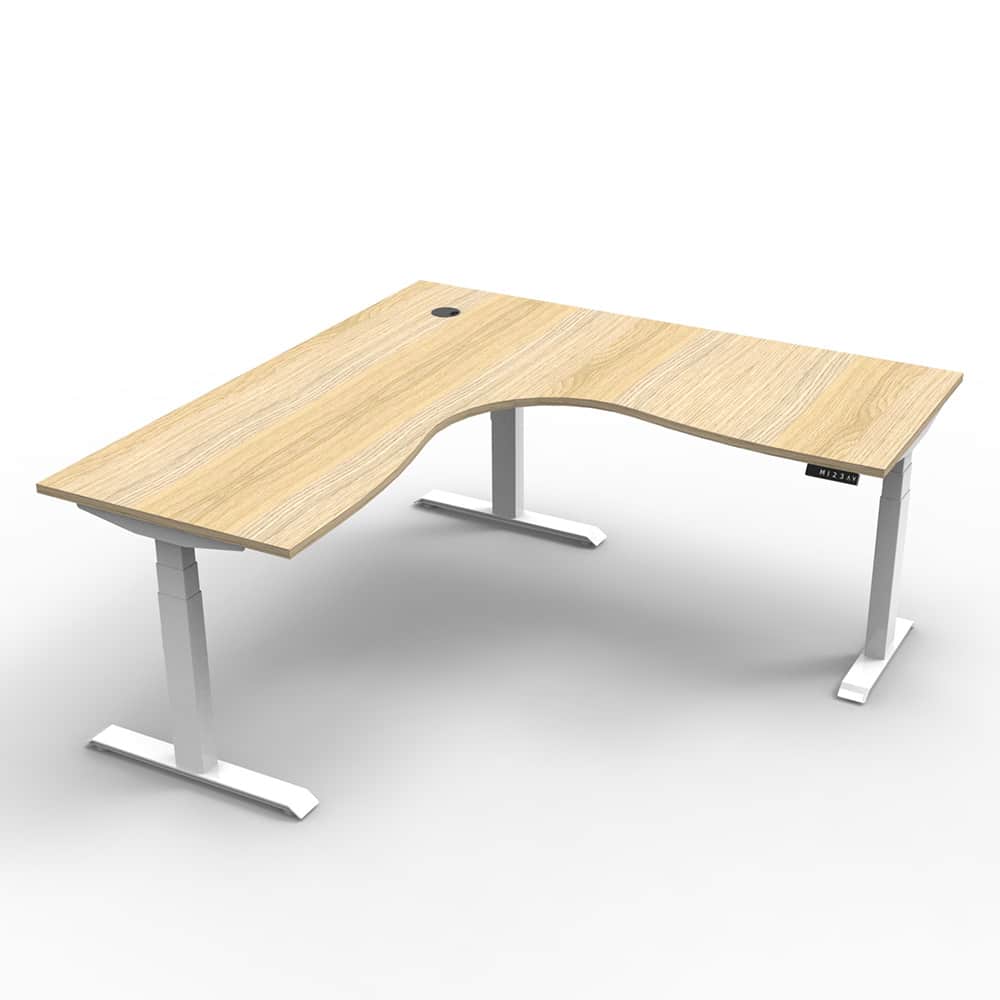
The two real differentiators are the curved L-shape desktop (you only get this from Desky and Elite in AU, with UpDown sticking to a hard 90° corner), and the grommets that come standard. Add the optional cable tray bridge and snake and you’ve got a workable cable system without paying premium pricing for it.
Where it gives ground is on raw load capacity (120kg versus 225kg from Desky), motor count (dual versus triple), and accessory depth. Elite doesn’t have an ecosystem the way Desky does, so if you want monitor arms and drawers all matched to the desk you’ll be assembling those from third parties. But for a buyer who wants a curved corner, sensible safety features, and Australian Standards compliance at a sub-$1,200 price, this is the strongest mid-range option.
Elite Office Boost Plus Pros
- Curved L-shape desktop, a configuration only Desky and Elite offer in AU
- Desk grommets included as standard
- Height range 62-127cm suits a wider user range than UpDown’s 64cm minimum
- Anti-collision and anti-tilt safety included as standard
- Meets Australian Standards for height range
- Currently on sale at $1,187
- 10-year warranty
Elite Office Boost Plus Cons
- 120kg load capacity is the lowest in this list of corner desks
- Dual motor only (no triple-motor option)
- Limited desktop material and colour options
- Accessory range is thin compared to Desky’s ecosystem
- No physical showroom presence in most states
Elite Office Boost Plus Key Specifications
- Desktop: Natural Oak (with black frame), other finishes available
- Height Range: 62cm – 127cm
- Load Capacity: 120kg
- Sizes: 1500×1500mm, 1500×1800mm, 1800×1800mm
- Memory Presets: 3
- Lift Speed: 38mm per second
- Cable Management: Scalloped cable access standard, grommets standard, optional cable tray and snake
- Price: From $1,187
- Warranty: 10 years
3. UpDown Pro Series Electric Corner Desk
Why We Picked It
The UpDown Pro Series Electric Corner Desk is here because it does two things that no other desk on this list does. It offers AU-sourced timber desktop options (Australian Ash and recycled Messmate) that you simply can’t buy from anyone else in the corner-desk category, and its frame converts between an L-shape and a linear configuration via an adjustable angle joint. That’s a useful feature if you’re not committed to keeping the desk in a corner forever.
UpDown Pro Series Overview
The Pro Series Corner Desk is built on a triple-motor system that lifts up to 150kg with a height range of 64-129cm, which means you get an extra 4cm of maximum height over Desky if you’re a tall user over 200cm. The dimensions are fixed at 195×180×75cm with a 2.5cm thick desktop, which is standard than most competitors at this price.
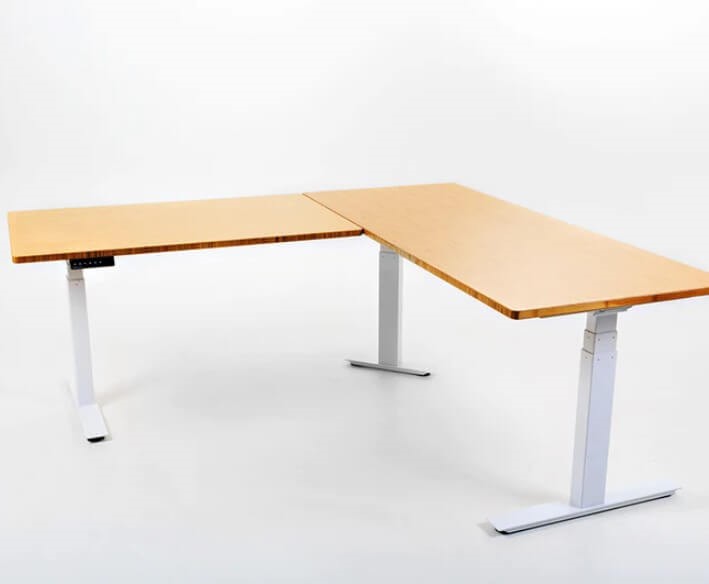
The desktop options beyond the 5 melamine finishes include a similar mix of bamboo, softwood and hardwood options or you can step up to the unique Australian Ash and recycled Messmate desktops.
Stability-wise the desk is good. Anti-collision detection is included, the digital controller stores four memory heights, and the motors are quiet enough to not be a nuisance during meetings. The frame’s 90-180° adjustment also means if you move house or restructure the office, you can convert the desk to a linear setup without buying a new piece of furniture.
What you don’t get is a strong accessories ecosystem (the UpDown range here is thinner than Desky’s), a curved-corner geometry option (the join is a hard 90° even if the angle joint is adjustable), or a 60cm minimum height for shorter users. The price starts at $1,619, which is a step up from both Desky’s Eco Corner and Elite’s Boost Plus.
UpDown Pro Series Pros
- Australian Ash and recycled Messmate desktop options exclusive to UpDown
- Bamboo desktop option for the sustainability-focused standing desk buyer
- Frame converts between L-shape and linear configurations
- 2.5cm thick desktop
- 150kg load capacity with anti-collision detection
UpDown Pro Series Cons
- No curved L-shape geometry option (90° corner only)
- 64cm minimum height excludes shorter users that Desky and DeskUp accommodate
- Accessory range is thin compared to Desky’s ecosystem
- Cable management not integrated into frame
UpDown Pro Series Key Specifications
- Desktop: Melamine, bamboo, softwood, hardwood, Australian Ash, recycled Messmate
- Height Range: 64cm – 129cm
- Load Capacity: 150kg
- Dimensions: 195 x 180 x 75cm (fixed)
- Memory Presets: 4
- Motor: Electric triple-motor system
- Price: From $1,619
- Warranty: 10 years on the frame, 5 years on the desktop
➤ Check UpDown Pro Series Pricing
4. MOOV Corner Desk – Best compact L-shape (dual desk with mini return)
Why We Picked It
The MOOV Corner Desk is the one I’d point you at if you love the idea of a corner desk but don’t actually have the room for a true L-shape. It is, strictly speaking, a dual standing desk with a small return rather than a full-blown L. The main desktop is 1.60m long and the return is just 0.95m by 0.45m, so the floor footprint is much smaller than anything else on this list. Pair that with the fact it’s handcrafted in Melbourne from sustainably sourced Tasmanian Oak or Blackwood, and you’ve got a piece of furniture that doubles as a design statement.
MOOV Corner Desk Overview
We Are Minimal builds the MOOV to order in Melbourne from repurposed timber, which means every desktop has its own grain pattern and tonal variation. If you appreciate the natural character of premium hardwoods, this matters. The Tasmanian Oak version has the lighter, honey-toned profile most buyers will recognise; the Blackwood option is deeper and more dramatic with darker grain.
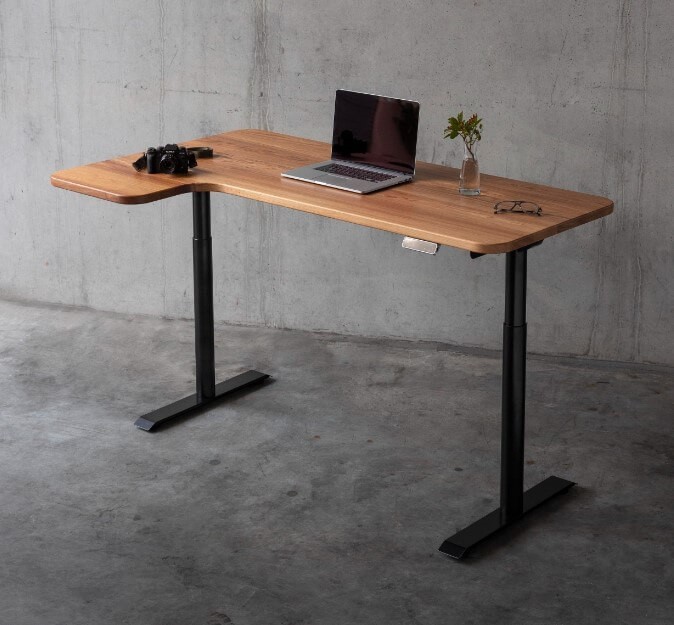
The frame underneath the timber is competent rather than class-leading. Dual motors, anti-collision detection, child lock, USB charging port, and a 4-preset digital controller are all standard. The 135kg load capacity is on the lower end of this list (well below Desky’s 225kg and DeskUp’s 160kg), but for the kind of buyer who’s choosing the MOOV, this isn’t the deciding factor.
What you’re really paying for here is two things: the handcrafted desktop and the smaller corner footprint. Because the return is only 0.95m long, you don’t need the full corner of a room to make the desk work. You can centre it as a statement piece or use the shorter return as a notebook-and-coffee zone next to the main monitor work surface.
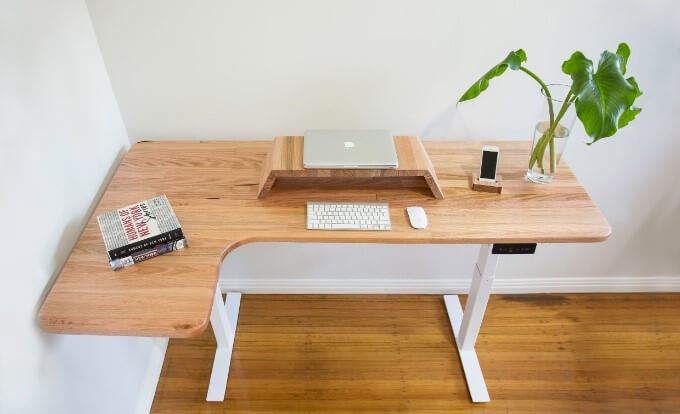
Custom dimensions are available on request, which is useful if your space has awkward measurements. The trade-off is price (it starts at $2,199 and goes up with custom sizing) and delivery cost (up to $350 depending on location). Lead times are also longer than the same-day-dispatch desks in this list because each top is made to order.
MOOV Corner Desk Pros
- Handcrafted in Melbourne
- Sustainably sourced, repurposed Tasmanian Oak or Blackwood desktop
- Custom desktop dimensions available on request
- Compact footprint suits rooms where a full L-shape won’t fit
- Each desk is unique due to natural timber variation
- Dual motors with anti-collision, child lock, USB charging, 4 presets
MOOV Corner Desk Cons
- Not a true L-shape (technically a dual with a mini return)
- 135kg load capacity is the second-lowest in this list
- Delivery up to $350 depending on location
- Lead times are longer because each top is made to order
- Most expensive desk in this list at $2,199 entry
MOOV Corner Desk Key Specifications
- Desktop: Handcrafted Tasmanian Oak or Blackwood
- Dimensions: 1.60m x 0.65m main desk with 0.95m x 0.45m return
- Height Range: 61cm – 125cm
- Load Capacity: 135kg
- Memory Presets: 4
- Lift Control: Electric dual motor
- Price: From $2,199
- Warranty: 10 years frame, 5 years electronics
➤ Check MOOV Corner Desk Pricing
5. DeskUp L-Shape Standing Desk – Best budget L-shape
Why We Picked It
The DeskUp L-Shape Standing Desk is the most affordable option on this list at $949 (down from $1,299). It earns a place here because it gets the fundamentals right (160kg load capacity, 60-125cm height range, four memory presets, tri-motor frame), even though there are compromises worth knowing about before you buy. If your budget is firmly under $1,000 and you want a full L-shape rather than a converter or a smaller desk, this is the pick.
DeskUp L-Shape Overview
DeskUp ships out of Tuncurry NSW, which is a useful detail if you’re in NSW or QLD. The desk is right-handed only (the return sits on the right of the main desktop), which is a real constraint to flag up front. The main desktop is 180×80cm and the return is 60×80cm, giving you a generous main work surface plus a sizeable side area.
The frame is a tri-motor design with actuators inside each leg. Lift capacity is 160kg, which is higher than UpDown, MOOV, and Elite, and second only to Desky in this list. The melamine veneer top is 25mm thick with banded edges and comes in four finishes: Silver Oak, Walnut, Satin Black, or Arctic White. Frame colour is Black or White.
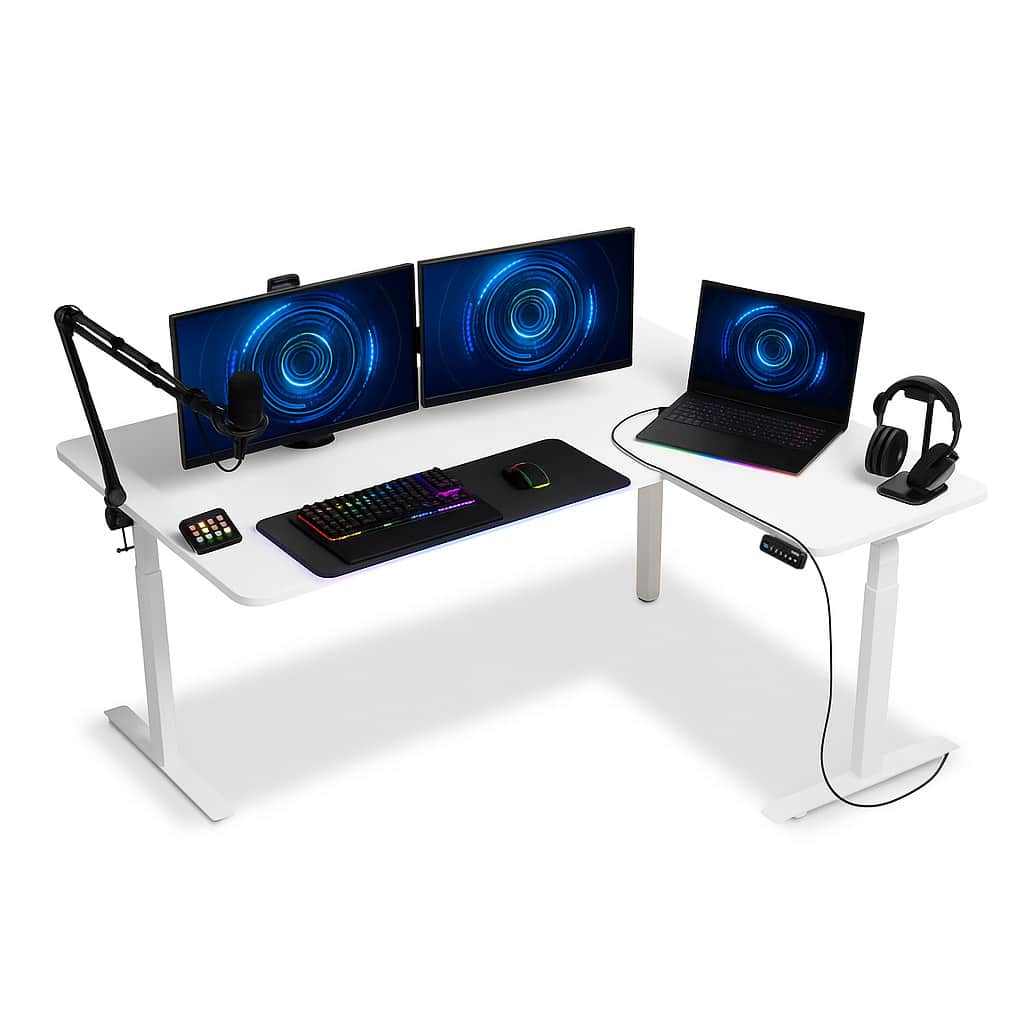
Two things to know before buying. First, the corner leg on this design doesn’t have a foot of its own, which means stability at full height is noticeably less locked-in than the designs from Desky and Elite. It’s not unstable, but it’s not the rock-solid feel of the premium options. Second, the warranty is 7 years and only covers the electronic components. The frame and desktop fall outside warranty cover, which is shorter and more limited than the 10-year industry standard.
For a buyer who knows those trade-offs going in and wants a working L-shape under $1,000, the DeskUp is a solid choice. For a buyer who’s planning to load up triple monitors, regularly lean on the corner, or use the desk for the next decade, I’d push you upward to Desky’s Eco Corner at $1,399 instead.
DeskUp L-Shape Pros
- Cheapest L-shape on this list at $949 sale price
- 160kg load capacity is the second-highest after Desky
- 60cm minimum height accommodates shorter users
- Tri-motor frame with 4 memory presets
- Same-day dispatch from Tuncurry NSW before 2pm AEST
- 25mm thick desktop with banded edges
DeskUp L-Shape Cons
- Corner leg has no foot, which reduces stability at full height versus premium designs
- 7-year warranty (electronic components only) is shorter than the industry-standard 10 years on frame and electronics
- Right-handed return only, no left-handed option
- No accessory ecosystem to speak of
DeskUp L-Shape Key Specifications
- Desktop: Melamine veneer in Silver Oak, Walnut, Satin Black, or Arctic White
- Dimensions: 180 x 80cm main with 60 x 80cm right-hand return
- Height Range: 60cm – 125cm
- Load Capacity: 160kg
- Memory Presets: 4
- Motor: Tri-motor, three-stage
- Top Thickness: 25mm
- Price: From $949
- Warranty: 7 years on electronic components
➤ Check DeskUp L-Shape Pricing
The Differences Between A Corner and L-Shaped Desk
Corner desks and L-shaped desks are often discussed together, but they’re not the same thing. Here’s how they differ.
| Category | Corner Desks | L-Shaped Desks |
|---|---|---|
| Shape | Typically triangular or pentagonal, designed to fit into a corner of a room | Two perpendicular segments that form an “L” |
| Space Utilisation | Maximise corner space with minimal floor footprint | Versatile, can be placed in a corner or stand alone in the centre of a room |
| Work Surface | More limited, suitable for laptop and light setups | Larger surface, suited to multi-monitor or dual-zone setups |
| Configuration | Limited to corner placement | Can sit in a corner, against a wall, or as a room divider |
| Storage | Limited built-in storage | More built-in storage options (drawers, shelves, cabinets) |
| Room Size | Best in smaller rooms or limited space | Suited to larger rooms or spread-out workspaces |
What To Look For In A Corner Standing Desk
Curved or 90° corner geometry
This is the buying decision that gets overlooked most often. A curved (rounded) corner like Desky’s L-Shape Curved Melamine variant or the Elite Boost Plus gives you a softer transition between your two work zones, which means you can swivel your chair between them without catching on a hard internal edge. A 90° corner (Desky’s Eco Corner, UpDown, DeskUp) is more affordable to manufacture and gives you a sharper, more defined zoning between zones. Neither is wrong. Decide based on how you’ll actually move between the two surfaces during the day.
Desk size and shape
Measure the room before you measure the desk. A 1800×1800mm L-shape is large, and many home offices can’t take one without sacrificing chair clearance or doorway access. If you’re tight on space, the MOOV (with its smaller 0.95m return) or Desky’s Eco Corner at 1500mm is the sensible option.
Stability and frame design
Corner desks are inherently more stable than two-leg straight desks because you’ve got three legs (or four with the right design) supporting the load. But stability degrades fast at full standing height if any of the legs lack proper feet. The Desky L-Shape, UpDown Pro, and Elite all use three-foot designs; the DeskUp uses three with the corner unsupported, which is the main reason it sits at the bottom of this list.
Cable management
If you’re running a multi-monitor setup with a desktop tower, peripherals, USB hubs, and chargers, cable management matters more on a corner desk than anywhere else (because you’ve got twice as many cables and the desk movement is more complex). Desky’s integrated channel with USB-A and USB-C powerpoints is the strongest in the country. Elite’s Boost Plus offers grommets and an optional cable tray. UpDown includes a basic cable tray as standard. DeskUp includes cable loops only.
Adjustable height and presets
Look for a desk that comfortably accommodates both your seated and standing position, plus extra presets if multiple people will share the desk. The 60cm minimum height matters more than people realise (it’s the difference between a shorter user being able to sit ergonomically and not). UpDown’s 64cm minimum excludes some users that Desky, DeskUp, and Elite accommodate.
Cost and budget
Corner desks cost more than rectangular standing desks because there’s more frame and more desktop. Budget realistically: a workable L-shape from a reputable brand starts around $950 (DeskUp) and the premium tier sits between $1,400 and $2,200. Sub-$800 corner desks exist on marketplaces, but I haven’t found one I’d put in this guide.
The Benefits of Corner Standing Desks
- Space efficient – an L-shape fits snugly into a corner, freeing up floor space elsewhere in the room
- More desktop area – two perpendicular surfaces give you room to separate deep-focus screen work from secondary tasks
- Increased under-desk storage – room for a pedestal, footrest, or filing cabinet
- Zoning – you can split a monitor zone from a writing or sketching zone, which improves focus
Picking The Right Size Corner Standing Desk
- Measure the room first – include space for the chair to roll back and for any cabinets or shelving you plan to put behind the desk
- Match the desk to your work – multi-monitor and dual-screen setups need at least 1500mm on the main desktop; a laptop-only setup is fine at 1200mm
- Check adjustability range – the difference between a 60cm and 64cm minimum height is meaningful if you’re under 165cm tall
- Decide on corner geometry – curved (Desky L-Shape Custom Melamine, Elite Boost Plus) or 90° (Desky Eco, UpDown, DeskUp). Test by sitting in the corner of a desk in person if you can
Frequently Asked Questions
Corner desks are highly efficient at using floor space. They suit rooms where space is limited or where you want to leave the centre of the room clear. For multi-monitor setups, dual-task workflows, or anyone who needs to compartmentalise screen work from analog work, an L-shape is a meaningful upgrade over a rectangular desk.
A curved corner desk has a rounded internal join between the two work surfaces, which gives you a smoother swivel between zones. A 90° corner desk has a hard right-angle join. Curved corners are easier to use day-to-day but cost more to manufacture. Of the desks in this guide, Desky’s L-Shape Custom Melamine and the Elite Boost Plus have curved corners; Desky’s Eco Corner, UpDown, and DeskUp use 90° joins.
Generally yes, because the additional legs and frame distribute the load. But stability depends on whether every leg has a proper foot at the bottom. Four-foot designs (Desky, UpDown, MOOV) are noticeably more solid at standing height than three-leg or unsupported-corner designs (DeskUp).
Melamine is more affordable, more durable for daily use, and available in a much wider range of finishes. Hardwood (or hardwood with a resin pour, as in some Desky variants) is more visually striking and ages with character, but costs more and requires more care. For most buyers a quality melamine like Desky’s Classic Oak or Burnished Wood gives you the look of timber without the maintenance.
A workable L-shape from a reputable brand starts at around $950 (DeskUp on sale). The mid-range sits at $1,187 to $1,399 (Elite Boost Plus, Desky Eco Corner). Premium with curved corners and full finish range runs $1,619 to $2,200 (Desky L-Shape Custom Melamine, UpDown Pro, MOOV). Add 10-15% for accessories like monitor arms and cable management if you don’t have them already.
You might also be interested in reading:
